 Compra 100% segura
 Enviado por
  Garantia de reembolso
Sobre o produto
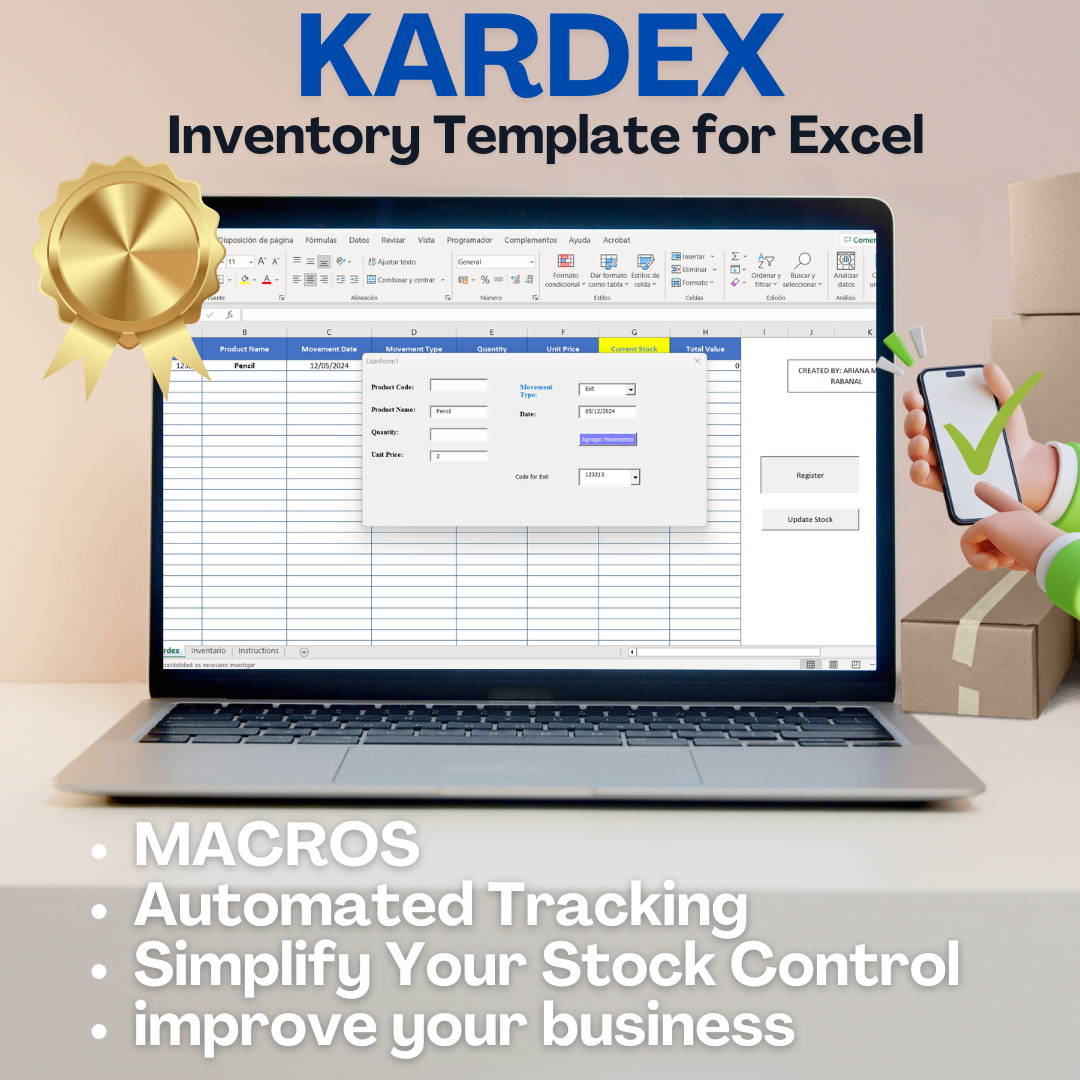
inventory management Excel template
The inventory management Excel template is a powerful tool designed to streamline stock tracking and organization. It serves businesses looking to efficiently manage their inventory levels, reduce costs, and enhance operational efficiency. This template simplifies the process of monitoring stock, ensuring you never run out of essential products.
Benefits
- Improves accuracy in inventory tracking.
- Reduces manual errors through automated calculations.
- Enhances visibility of stock levels for informed decision-making.
- Facilitates quick data entry and retrieval.
- Supports custom reports for better inventory analysis.
How it works
This Excel template allows users to input product details, track stock levels, and monitor sales data. It automatically calculates totals and generates reports, making it easy to see which items are in demand and which are overstocked. The user-friendly interface ensures that even those with minimal Excel experience can navigate it effectively.
How to use / application practice
To use the template, simply download and open it in Excel. Enter your product information, including names, quantities, and prices. As you sell or receive stock, update the relevant fields. The template will adjust the stock levels accordingly, providing real-time insights into your inventory status.
For whom it is indicated
This template is ideal for small to medium-sized businesses, retailers, and e-commerce stores that require a straightforward solution for inventory management. It is particularly beneficial for those looking to enhance their operational efficiency without investing in complex software systems.
Differentials of the product
Unlike many inventory management solutions, this Excel template is cost-effective and easy to customize. It does not require extensive training or additional software, making it accessible for businesses of all sizes. The ability to tailor the template to specific needs sets it apart from generic solutions.
Problems it solves
The template addresses common inventory challenges, such as overstocking, stockouts, and inaccurate stock counts. By providing a clear overview of inventory levels, it helps businesses make informed purchasing decisions and optimize their stock management processes.
Technical characteristics
This inventory management template features customizable fields, automated calculations, and user-friendly navigation. It is compatible with various versions of Excel, ensuring flexibility for users.
FAQ
- What is an inventory management Excel template? It is a customizable spreadsheet designed to help businesses track and manage their inventory efficiently.
- How can I use this template? Download the template, input your product details, and update stock levels as needed.
- What are the benefits of using this template? It improves accuracy, reduces errors, and enhances visibility of stock levels.
- Is this template suitable for small businesses? Yes, it is designed for small to medium-sized businesses looking for a cost-effective inventory management solution.
- Can I customize the template? Absolutely! The template allows for personalization to meet your specific inventory management needs.
Ready to take control of your inventory management? Download our Kardex inventory management Excel template today and start optimizing your stock tracking! Simplify your inventory processes and enhance your business efficiency now.
Gostou deste produto? Confira a oferta e veja todos os detalhes.
ComprarMais vendidos do Hotmart
















































Siga nosso instagram

